
If you already know what eDesign is and how to access it (I cover it in eDesign: how to design an electrical panel), here I get practical: I show you how I build a home electrical panel in eDesign, following the Spanish low-voltage regulation (REBT), from the diagram to the documents you hand over to your customer.
Quick summary
- Tool: mySchneider eDesign, Schneider’s online tool for residential panels.
- Example project: a home with “elevated” electrification under Spain’s ITC-BT-25.
- What you get: single-line diagram, bill of materials, project report, certificates and labels.
Before opening eDesign: the circuits the regulation requires
Spain’s ITC-BT-25 sets the minimum circuits of a home. With basic electrification (5,750 W) these are the five below; elevated electrification (9,200 W) adds circuits C6 to C12 (extra lighting and sockets, heating, air conditioning, dryer, automation…):
| Circuit | Use | MCB | Cross-section |
|---|---|---|---|
| C1 | Lighting | 10 A | 1.5 mm² |
| C2 | General sockets and fridge | 16 A | 2.5 mm² |
| C3 | Cooker and oven | 25 A | 6 mm² |
| C4 | Washing machine, dishwasher and water heater | 20 A | 4 mm² |
| C5 | Bathroom and kitchen auxiliary sockets | 16 A | 2.5 mm² |
Also remember the 30 mA RCD with a maximum of five circuits per RCD.
Step by step in eDesign
- Project information: name, customer and power.
- Switchboards: create and manage the project’s panels.
- Diagram: select products and build the structure: main protection, RCDs and the breaker for each circuit.
- Single-line diagram: eDesign draws it for you, with standard and print views, automatic device numbering (Q1, I2, Q3…) and a table to identify each circuit, its designation, cross-section and cable type. You can export it to PDF.
- Front view: see how the devices are installed in the panel.
- Label editor: prepare the identification labels.
- Bill of materials: every reference in the panel.
- Documents: generate the final documentation.
In my project, the diagram starts with the main protection and an iID 25 A, 2P, 30 mA type A RCD, feeding iC60N breakers for each circuit: C1 10 A with 1.5 mm², C2 16 A with 2.5 mm², C3 25 A with 6 mm², C5 16 A with 2.5 mm² and C4 with 4 mm².
Documents eDesign generates
- Single-line diagram.
- Bill of materials.
- Project report.
- Compilation of project certificates (CE and PEP certificates of the products).
- Labels to download and print.
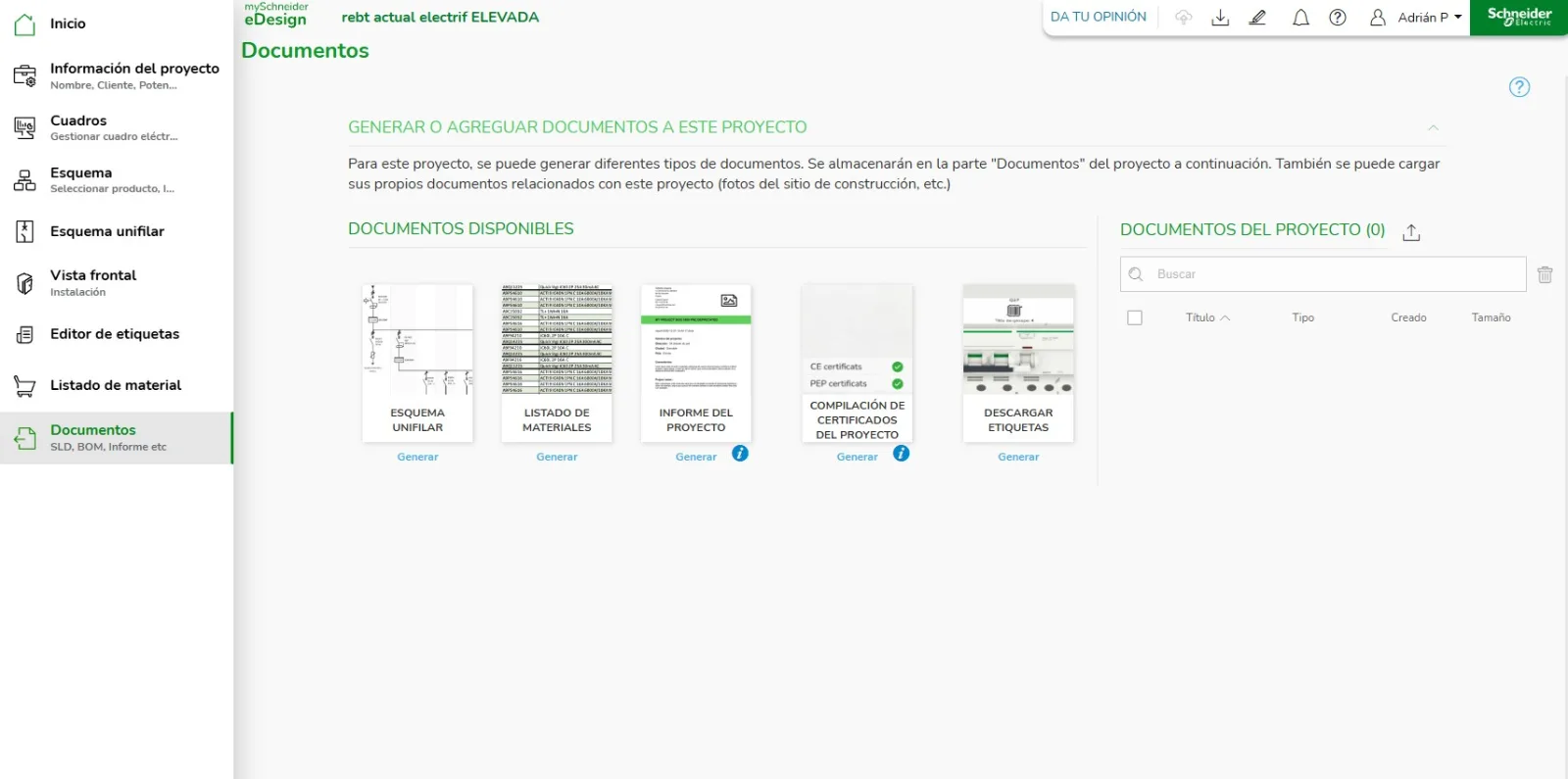
You can also upload your own documents to the project, such as site photos.
eDesign or EcoSet Config?
eDesign is aimed at residential and simple panels. For larger low-voltage switchboards (up to 3,200 A) with 3D enclosure design and quotations, Schneider offers EcoSet Config. See also EcoSet Config vs EcoSet Design vs Rapsody vs Ecodial.
FAQ
Can I export the single-line diagram?
Yes, to PDF from the single-line diagram tab, and from Documents.
Does eDesign generate product certificates?
It generates a compilation of the CE and PEP certificates of the products in the project.
Does eDesign check regulatory compliance for me?
It helps you build and document the panel, but checking the number of circuits, RCDs and cross-sections is still your responsibility.

